
Boards
On the boards tab, new
boards are created. A board can be a project
knowledge base, documentation for something,
a structured description of an idea, etc.
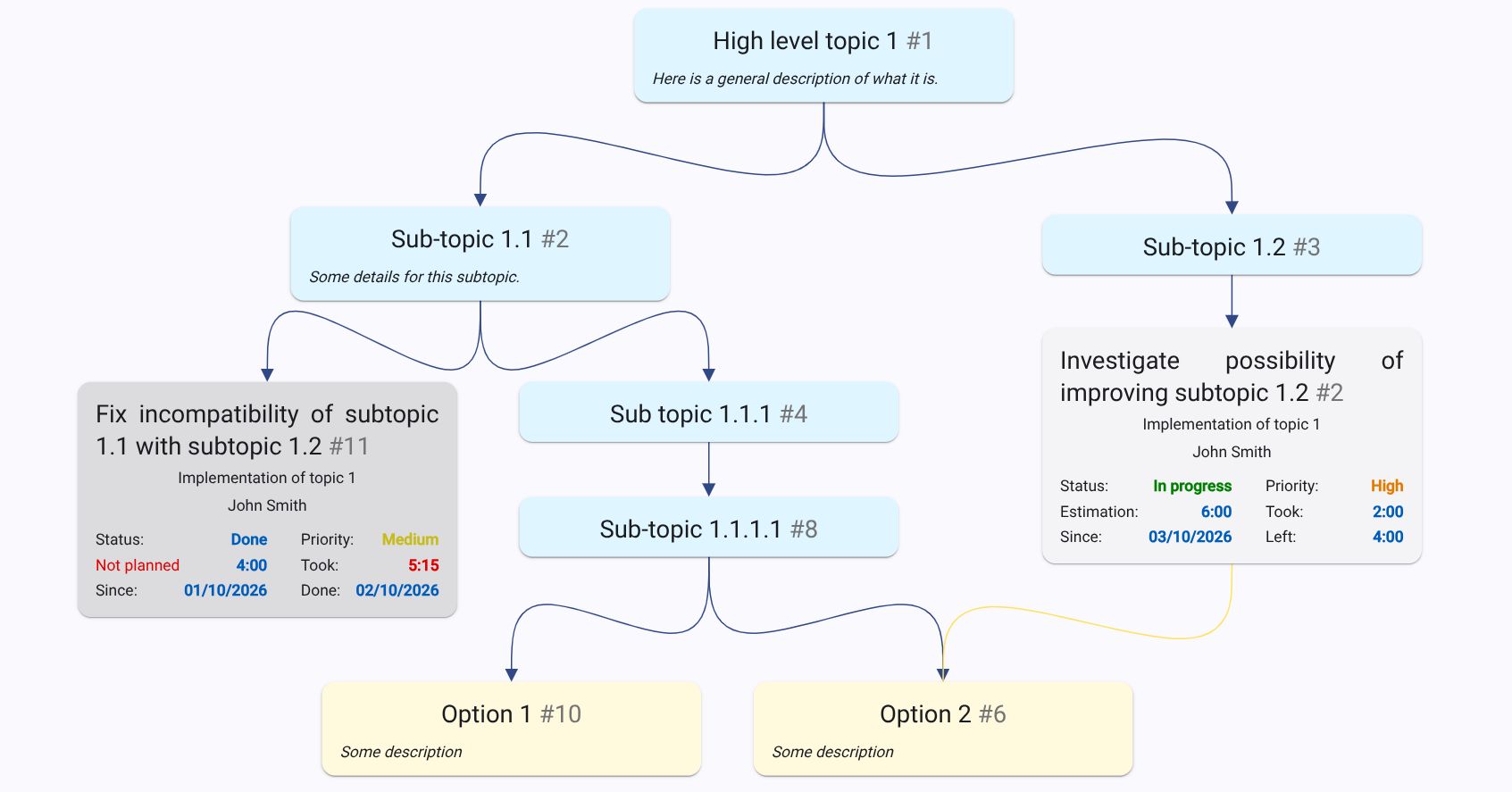
A board can have three types of entities:
Topic, Note and Ticket.
A topic represents a particular aspect of a project
or idea. Topics can have a tree structure going
from general high-level concept to more specific
details. A note is what it sounds like. A ticket is
a description what to do. It has a time estimation,
an assignee, a stage (see below) it is assigned to,
and some other details.
Each of three entities can have a parent topic
and a related to relations.
All three entities have a rich-text description.
Correctly filling in the description for topics,
tickets, and notes, and creating appropriate relations
between them, allows to avoid creating dedicated
Wiki documentation.
Stages
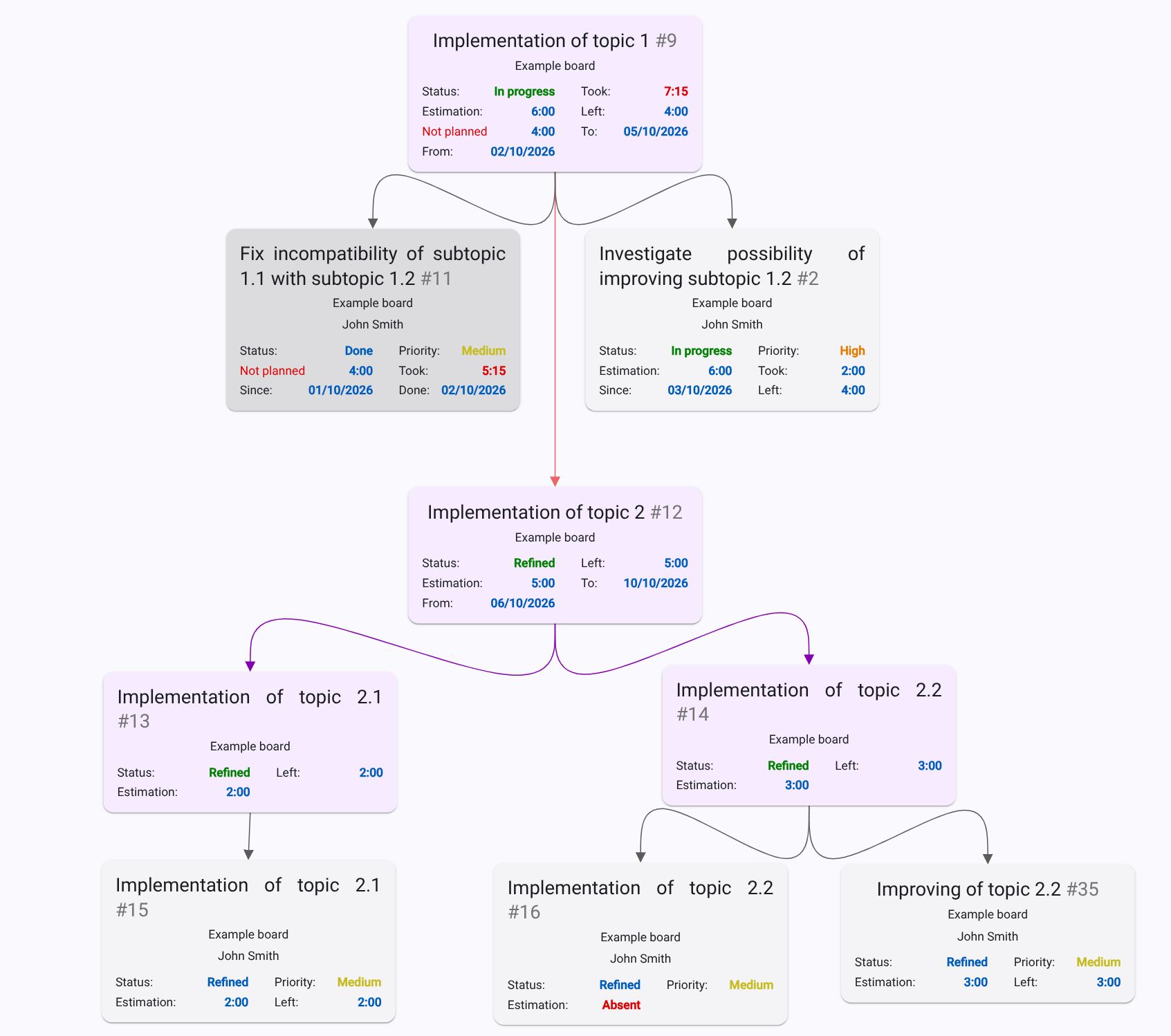
On the stages tab, stages can be created and tickets can be assigned to them. A stage represents a chunk of work to be done as one piece. Tickets from different boards can be assigned to a stage. A stage shows a summary estimation, time spent and remaining for all tickets assigned to it, as well as its status, start date and end date. Stages can have a parent stage and preceding stage relations. A parent stage relation means that a child stage is part of the parent stage, and its assigned tickets can be implemented in parallel with the parent stage and the tickets of other child stages. A preceding stage relation (indicated by a red line) determines the order of implementation. All tickets in preceding stages must be implemented before work can begin on tickets in the next stage.
Hint: to drag multiple entities, hold CTRL and drag a parent entity.
What next
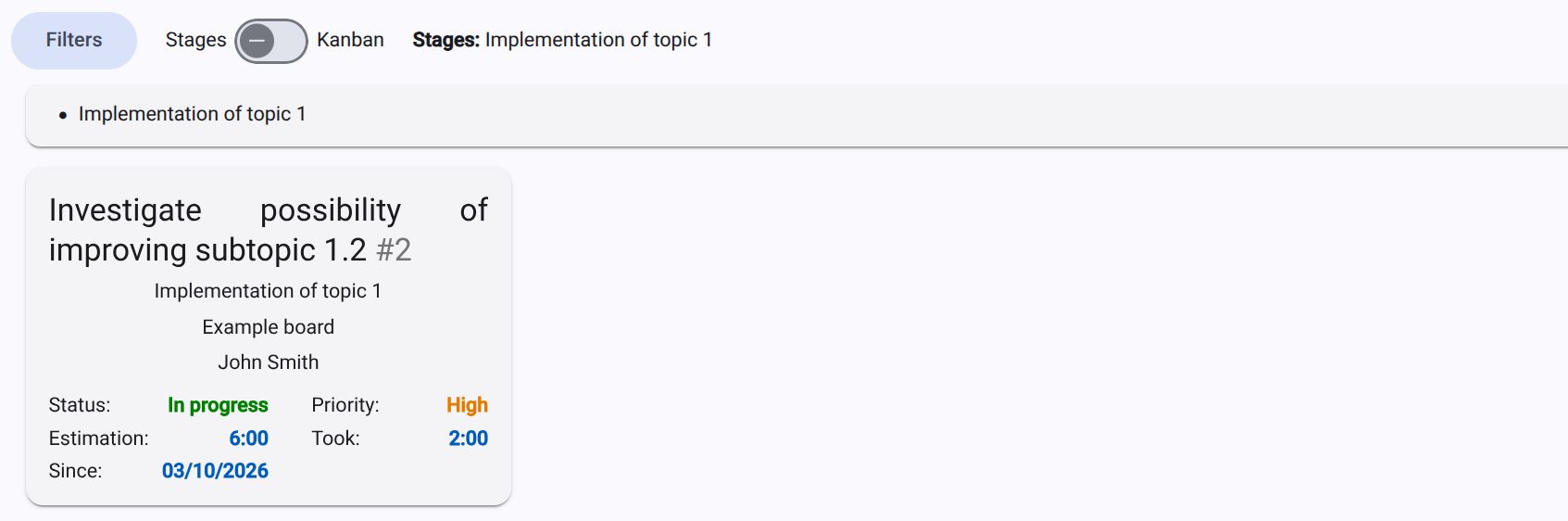
What next tab shows only tickets that belong to a current active stage and its children. Tickets on the other side of preceding stage relations are not shown until all the tickets of the current active stage are implemented.
Sharing of boards with other users
The application allows board sharing with other users for collaboration. To do so, both users should have accounts.
Statistics
The application allows users to view simple statistics such as time spent per user per board last month and by month, as well as a timeline of stages.